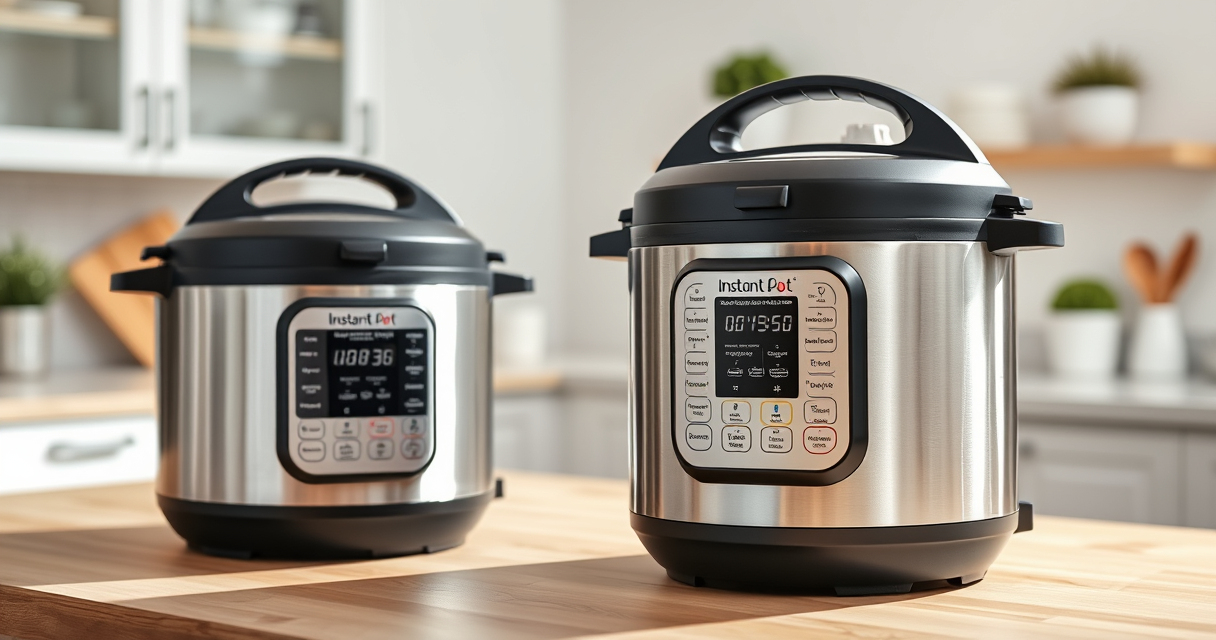

If your Instant Pot 4QT RIO Mini displays a burn error message, it can be frustrating and disrupt your meal preparation. This guide provides clear, practical steps to identify causes and resolve the issue safely, ensuring your pressure cooker works efficiently again.

Get kitchen staples and gadgets delivered free — and shop member deals
- Fast, free delivery on millions of items
- Access to Prime Big Deal Days deals on October 6–7
- Prime Video, Amazon Music and more included
Understanding common reasons for the burn error and how to fix them can save you time and prevent damage to your appliance. Follow these instructions carefully for a safe and effective fix.
Key Takeaways
| Cause Identification | Burn errors often occur due to food sticking, insufficient liquid, or improper sealing. |
| Step-by-step Fix | Clear the pot, check sealing ring, and add enough liquid before restarting. |
| Prevention Tips | Use enough cooking liquid and avoid overfilling to prevent burn errors. |
| Safety First | Always unplug and allow the pot to cool before cleaning or inspecting. |
Understanding the Burn Error
The burn error on your Instant Pot indicates the device detected food or liquid burning on the bottom. It’s a safety feature to prevent damage and ensure safe operation. Common causes include food sticking to the bottom, insufficient liquid, or a faulty sealing ring.
Initial Safety Steps
- Unplug the Instant Pot and allow it to cool completely.
- Open the lid carefully, avoiding hot steam.
Cleaning and Inspecting
- Remove the inner pot and check for food debris or stuck particles.
- Clean the bottom of the inner pot thoroughly with non-abrasive sponge and mild detergent.
- Inspect the sealing ring for cracks or deformation and replace if necessary.
Adding Liquid and Preventing Burn Errors
- Ensure there is enough liquid in the recipe, typically at least 1 to 1.5 cups, depending on the recipe.
- Spread food evenly in the pot, avoiding overfilling beyond the max fill line.
- Secure the lid properly, ensuring the sealing ring is correctly seated.
Restarting the Cooking Process
After cleaning and checking, lock the lid in place, select the appropriate cooking setting, and ensure the steam release handle is in the sealing position. Press start and monitor the pressure build-up. If the burn error appears again, repeat cleaning or check for other issues.
The Products in This Guide

Instant Pot 4QT RIO Mini 7-in-1 Multi-Cooker
- ✔ Weight: 10 lbs
- ✔ Power: 1000W
- ✔ Dimensions: 10 x 10 x 12 inches

AOZITA Steamer Basket
- ✔ Capacity: 2 tiers
- ✔ Color: Silver
- ✔ Weight: 1.2 lbs
Instant Pot 4QT RIO Mini 7-in-1 Multi-Cooker
The Instant Pot 4QT RIO Mini offers versatile cooking functions in a compact size, perfect for small families or singles. It’s easy to store and delivers fast, reliable results with seven cooking modes.
Pros:
- 7-in-1 functionality
- Compact and space-saving
- Good for small households
- Easy to use and clean
Cons:
- Limited capacity for larger families
- May require frequent cleaning of the sealing ring
- Basic display without advanced features
Best for: Small families, singles, students, quick meals
Not ideal for: Cooking for large groups or batch meal prep
Bottom line: A versatile, space-saving multi-cooker ideal for small kitchens and quick meal prep.
AOZITA Steamer Basket
The AOZITA Steamer Basket enhances your Instant Pot experience by allowing you to steam multiple ingredients simultaneously, making meal prep more efficient.
Pros:
- Two-tier stacking design
- Stainless steel mesh
- Compatible with 6 and 8 qt models
- Durable and easy to clean
Cons:
- Requires extra space in the pot
- May need careful handling when full
- Not suitable for very large ingredients
Best for: Steaming vegetables, seafood, or eggs
Not ideal for: Cooking large quantities for big families
Bottom line: A practical addition for multi-level steaming and efficient meal prep.
Frequently Asked Questions
Why does my Instant Pot show a burn error?
The burn error typically appears due to food sticking to the bottom, insufficient liquid, or improper sealing. Cleaning and checking the parts often resolve it.
How much liquid should I add to prevent burn errors?
Ensure at least 1 to 1.5 cups of liquid, depending on your recipe, to create enough steam and prevent burning.
Can I continue cooking after the burn error appears?
Yes, after cleaning and adjusting the ingredients and liquid, you can restart the cooking process. Make sure the sealing ring is properly in place.
How often should I replace the sealing ring?
Inspect the sealing ring regularly for cracks or deformation and replace every 12-18 months or if it no longer seals properly.
Mastering Your Instant Pot for Safe, Burn-Free Cooking
By understanding the common causes of burn errors and following the step-by-step troubleshooting guide, you can ensure your Instant Pot operates safely and efficiently. Regular maintenance and proper ingredient placement are key to preventing future issues, making your cooking experience smooth and enjoyable.
Affiliate disclosure: As an Amazon Associate we earn from qualifying purchases. Prices and availability are accurate as of the time of publishing.
NFL season / tailgating Picks
team gear
As an affiliate, we earn on qualifying purchases.