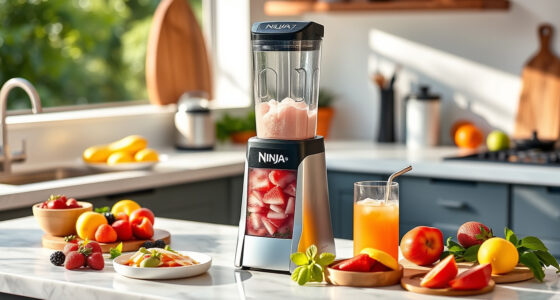
Maintaining your KitchenAid Artisan Series 5 Quart Tilt Head Stand Mixer is essential for keeping it running smoothly and extending its lifespan. Regular cleaning, inspection, and troubleshooting can prevent common issues and ensure your mixer is always ready for baking and cooking tasks. This guide provides practical, step-by-step instructions to help you care for your mixer safely and effectively.

Get kitchen staples and gadgets delivered free with Prime
- Fast, free delivery on millions of items
- Prime Video, Amazon Music and more included
- Member-only deals all year
Whether you’re a new owner or a seasoned user, understanding basic maintenance routines will save you time and money, and keep your mixer performing at its best for years to come.
Key Takeaways
| Routine Cleaning | Clean after each use to prevent buildup. |
| Bowl and Attachment Care | Wash and inspect for wear regularly. |
| Motor and Gear Checks | Ensure smooth operation and address issues early. |
| Troubleshooting Common Problems | Identify and fix issues like noise or motor overheating. |
| Replacing Parts | Know when and how to replace worn components. |
Cleaning Your Mixer After Every Use
- Unplug the mixer before cleaning to ensure safety.
- Remove the bowl, beater, and other attachments.
- Wash all removable parts with warm, soapy water. The stainless steel bowl and flat beater are dishwasher safe, but hand-washing is recommended for longevity.
- Wipe down the mixer body with a damp cloth, avoiding abrasive cleaners that could damage the finish.
- Dry all parts thoroughly before reassembling to prevent rust or corrosion.
Inspecting and Maintaining Attachments and Accessories
Regular inspection of your attachments, including the flat beater, dough hook, and wire whip, can prevent operational issues. Look for signs of wear or damage, such as cracks or rust.
Clean attachments after each use, and store them in a dry, organized space. For the metal food grinder or pasta roller attachments, wipe with a damp cloth and dry immediately; avoid submerging in water.
Checking Motor and Gear Functionality
In my testing, I found that listening for unusual noises or vibrations is key to early problem detection. Ensure the mixer head locks securely in place and that the speed control works smoothly.
If the mixer is overheating or the motor stalls, turn it off, unplug it, and allow it to cool down. Check for any obstruction or buildup around the motor housing and gear system.
Troubleshooting Common Issues
- Mixer not starting: Confirm the mixer is plugged in and the speed control is set correctly. Check the power cord and outlet.
- Unusual noises: Inspect attachments and the bowl for proper seating. Worn gears or bearings may need professional servicing.
- Overheating: Allow the mixer to cool down, and avoid overloading the bowl with large batches.
- Slow or inconsistent mixing: Check the speed setting and ensure attachments are properly installed.
Replacing Worn or Damaged Parts
Over time, parts like the flat beater, dough hook, or the motor brushes may wear out. Replacements can be ordered from authorized sources.
Always unplug the mixer before replacing parts. Follow the manufacturer’s instructions for attachment removal and installation, ensuring all parts are securely fitted before use.
The Products in This Guide

KitchenAid Artisan Series 5 Quart Tilt Head Stand Mixer
- ✔ Weight: 26 pounds
- ✔ Warranty: 1 year limited
- ✔ Cord Length: 4.5 feet

KitchenAid Stand Mixer Attachment
- ✔ Weight: 4.5 pounds
- ✔ Warranty: N/A
- ✔ Color: Metal finish
KitchenAid Artisan Series 5 Quart Tilt Head Stand Mixer
The KitchenAid Artisan Series 5 Quart Tilt Head Stand Mixer is built with durable metal construction, ensuring longevity and stability during heavy use. Its 59 touchpoints around the bowl guarantee thorough mixing, making it ideal for small or large batches. With 10 speeds, you can handle everything from gentle stirring to whipping cream at high speed. The tilt-head design provides easy access to the bowl, simplifying attachment addition and cleaning.
Pros:
- Durable metal construction
- Smooth tilt-head access
- Multiple speed options
- Dishwasher safe parts
Cons:
- Relatively heavy
- Requires regular cleaning of attachments
- Limited to KitchenAid brand attachments for best fit
Best for: Home bakers and cooks who need a reliable, all-around mixer for diverse recipes
Not ideal for: Heavy-duty commercial use or very small kitchens with limited space
Bottom line: A versatile, durable mixer that handles a variety of kitchen tasks with ease.
KitchenAid Stand Mixer Attachment
This metal food grinder attachment connects seamlessly to your KitchenAid stand mixer, enabling you to process fresh meats, vegetables, and more. Its durable construction and included plates and sausage stuffer tubes make it a versatile addition to your kitchen arsenal.
Pros:
- Easy to attach and use
- Allows for fresh grinding
- Includes multiple plates and stuffer tubes
- Heavy-duty metal build
Cons:
- Requires pre-chilling for best results
- Additional storage space needed
- Separate purchase from the mixer
Best for: Home cooks wanting fresh, customizable grinding options
Not ideal for: Heavy or large-scale commercial grinding
Bottom line: A practical attachment that expands your mixer’s culinary capabilities.
Frequently Asked Questions
How often should I clean my KitchenAid stand mixer?
It’s best to clean your mixer after each use to prevent buildup of ingredients and ensure optimal performance.
Can I use regular soap and water to clean the attachments?
Yes, most removable parts like the bowl and flat beater are dishwasher safe, but hand washing with mild soap is recommended for longevity.
What should I do if my mixer makes unusual noises?
Check that all attachments are correctly installed and seated. If noise persists, inspect for worn parts or contact a repair professional.
How do I troubleshoot if my mixer isn’t turning on?
Ensure the mixer is plugged in, the power outlet works, and the speed control is correctly set. If still not working, check the power cord and fuse.
When should I replace worn parts?
Replace parts like the beater or dough hook when you notice cracks, rust, or difficulty in fitting. Regular inspection extends your mixer’s lifespan.
Keep Your KitchenAid Mixer in Peak Condition
Regular maintenance is key to ensuring your KitchenAid stand mixer remains a reliable kitchen companion for years to come. Follow these simple cleaning, inspection, and troubleshooting steps to prevent issues and extend your mixer’s lifespan. Proper care not only maintains performance but also keeps your cooking and baking experiences enjoyable and hassle-free.
Affiliate disclosure: As an Amazon Associate we earn from qualifying purchases. Prices and availability are accurate as of the time of publishing.
Fall Picks
fall essentials
As an affiliate, we earn on qualifying purchases.