
TL;DR

Get kitchen staples and gadgets delivered free — and shop member deals
- Fast, free delivery on millions of items
- Access to Prime Big Deal Days deals on October 6–7
- Prime Video, Amazon Music and more included
Building your AI workstation used to be cheaper, but now prebuilt systems often match or beat DIY prices thanks to component shortages and bulk buying. Your decision depends on control, support, and how much effort you want to invest.
You’re ready to get serious about AI. But do you build your own machine, or buy one ready-made? The decision has never been more complex. With hardware costs soaring and manufacturers optimizing for AI workloads, the old wisdom — build cheaper, buy faster — no longer applies.
This isn’t just about saving a few bucks. It’s about control, reliability, and how much time you want to spend tuning your machine. In this article, I’ll walk you through the real tradeoffs, backed by fresh data and real-world examples, so you can make the right call for your AI projects.
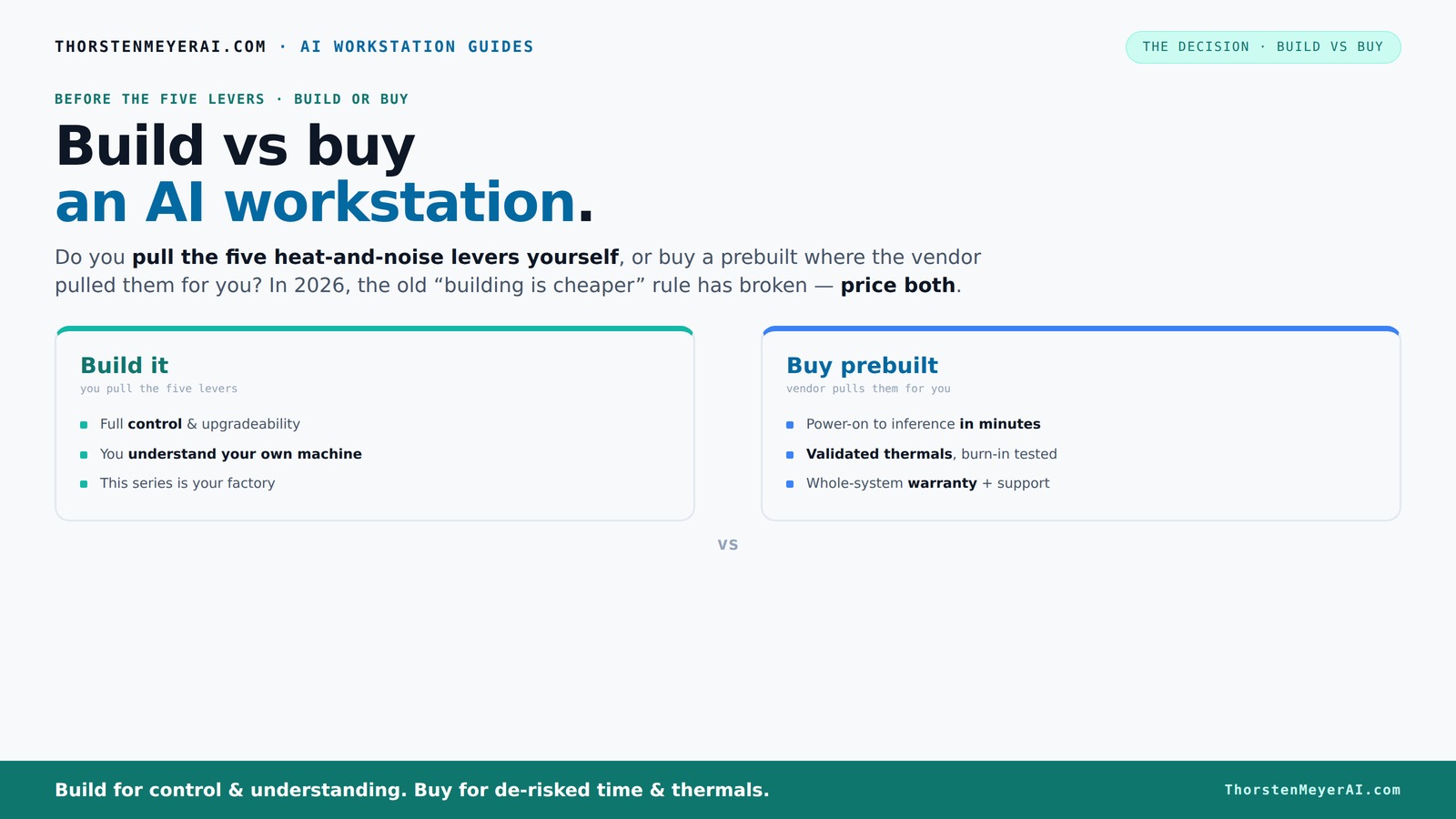
Build vs buy
an AI workstation.
The real question behind this whole series: do you pull the five heat-and-noise levers yourself, or buy a prebuilt where the vendor pulled them for you? And in 2026, the old “building is cheaper” rule has broken. Match your situation in Part 3.
Key Takeaways
- Component shortages in 2026 make prebuilt systems often match or beat DIY prices for high-end AI workstations.
- Building offers maximum control over thermals, noise, and upgrade paths, but requires time and expertise.
- Prebuilts save setup time, come with validated thermals, and include warranty support—ideal for quick deployment.
- GPU choice is crucial—aim for at least 24GB VRAM for serious AI workloads, regardless of build or buy.
- Decide based on how much you value control and customization versus convenience and support.
As an affiliate, we earn on qualifying purchases.
Why the 'Build' Option Isn't Always Cheaper Anymore
Building your AI workstation used to be the clear winner on price. But in 2026, mounting component shortages and bulk-buying discounts have flipped that script. A DIY build that once cost $1,000 now easily hits $1,250 or more, especially with high-end GPUs and fast RAM.
Meanwhile, prebuilt systems from vendors like Lambda and BIZON leverage their buying power to offer machines at prices that match or beat DIY costs. This shift means your decision isn’t just about money — it’s about whether you want control or convenience.
As an affiliate, we earn on qualifying purchases.
Who Pulls the Levers? Building Your Machine vs Offloading It
When you build, you’re the one pulling the five key levers: undervolting your GPU, matching the cooler, optimizing airflow, tuning fans, and choosing the perfect placement. These adjustments aren’t just about noise and temperature — they influence the longevity and stability of your system. For example, undervolting reduces heat output, which can extend component lifespan and improve thermal margins, but it requires a good understanding of how your hardware responds; a misstep could lead to instability.
Buy a prebuilt, and the vendor handles all those levers for you. They validate thermals, run stress tests, and tune fans before shipping. This often results in a quieter, cooler machine with less fuss—ideal if you want to start working immediately. However, it also means less personal insight into your system’s behavior, which could limit your ability to troubleshoot or optimize down the line.
As an affiliate, we earn on qualifying purchases.
When a Prebuilt System Makes Sense — Fast, Reliable, and Worry-Free
If your time is limited or you’re not comfortable tinkering with BIOS and thermal tuning, a prebuilt system offers peace of mind. They come with validated thermals, tested under load, and a warranty that covers failures. For instance, companies like Puget and Lambda ship systems fully tested, saving you hours of setup and troubleshooting. This reliability means you can focus on your AI projects instead of system stability issues.
Furthermore, prebuilt vendors often provide optimized configurations for multi-GPU setups and high-end components, which are difficult to replicate at home without extensive expertise. If you need to deploy AI models tomorrow or have a tight deadline, the convenience and proven performance of a prebuilt become invaluable, reducing the risk of delays caused by hardware incompatibilities or setup errors.
As an affiliate, we earn on qualifying purchases.
When to Build Your Own Machine — Max Control and Learning
Building your AI workstation is more than just a cost-saving measure; it’s an educational journey that deepens your understanding of hardware and system tuning. By selecting each component—GPU, CPU, RAM, and cooling—you gain insight into how these parts interact and influence performance. This knowledge can be invaluable when troubleshooting or upgrading later, as you’ll better understand the root causes of issues and how to optimize for specific workloads.
Additionally, custom builds allow you to tailor your system for particular AI tasks. For example, choosing a GPU with a specialized cooling solution or undervolting to reduce noise and power consumption can significantly enhance your experience. While this approach demands time and patience to troubleshoot compatibility issues and fine-tune settings, the skills gained often translate into more efficient, reliable systems in the long run. It’s a tradeoff: investing effort now can pay dividends in performance, longevity, and your own mastery of hardware.
Comparing Build and Buy: The Key Decision Factors
| Decision factor | Build a workstation | Buy a prebuilt workstation |
|---|---|---|
| Best for | Custom workloads, maximum control | Quick setup, convenience |
| Cost efficiency | Often better on a part-for-part basis | Includes assembly, support, and validation |
| Customization | High; choose every component | Limited by configuration options |
| Troubleshooting | User-managed | Vendor-managed |
| Upgrade path | Usually easier with standard parts | Can be challenging with proprietary designs |
| Risk | Higher assembly and compatibility risk | Lower initial setup risk |
What Parts Matter Most for AI Performance?
In AI workloads, the GPU is king. A card with 24GB VRAM like the RTX 4090 or A100 delivers the horsepower needed for training and inference. RAM matters too—aim for 128GB if you’re working with large models or datasets.
CPU, SSD, and cooling are secondary but still important. A fast NVMe SSD speeds up data loading, and a robust power supply ensures stability under load. For example, a well-undervolted GPU can run quieter and cooler, extending its lifespan.
Upgradability and Support — Which Path Keeps You Flexible?
If you plan to keep your system for years or upgrade GPU generations, building your own might be better. Standard motherboards and power supplies make swapping out parts easier, and you can choose components that are designed for easy upgrades, ensuring longevity and adaptability for future needs.
Prebuilts sometimes lock you into proprietary components or limited upgrade paths, which can lead to higher costs or compatibility issues down the line. Support is another factor—prebuilt vendors offer warranties and troubleshooting, but DIYers rely on community and parts warranties, which can be more flexible but require more effort to manage. The choice depends on how much you value long-term flexibility versus immediate support and simplicity.
Frequently Asked Questions
Is it cheaper to build or buy an AI workstation in 2026?
Thanks to component shortages and bulk buying, prebuilt systems often cost the same or less than building your own, especially at high-end specs. Always price both options for your specific config before deciding.Will a prebuilt workstation perform worse than a custom build?
Not necessarily. Many vendors optimize thermals and cooling, sometimes even better than DIY setups. Performance depends on your parts choice and tuning, but reputable prebuilts are often very competitive.What parts matter most for AI workloads: GPU, RAM, CPU, or cooling?
The GPU is king—aim for 24GB VRAM or more. RAM should be 128GB if working with large datasets. Cooling and power supply are secondary but crucial for sustained performance and longevity.Are prebuilts easier to upgrade later?
Generally yes, if you choose standard parts. However, some prebuilt systems use proprietary components, making future upgrades more difficult and costly.Is warranty and support worth the extra cost?
For many, yes. Support provides peace of mind during long AI training sessions or when troubleshooting hardware issues, saving time and reducing stress.Conclusion
If you want a machine that’s perfectly tailored to your AI needs and enjoy the learning process, building your own system still makes sense. But if speed, support, and reliability matter more—especially with current component shortages—prebuilt is often the smarter choice.
Picture yourself powering up your AI project tomorrow, not in a week. That’s where the real difference lies. Whatever you choose, remember: today’s hardware market favors those who think smarter, not just cheaper.
Fall Picks
fall essentials
As an affiliate, we earn on qualifying purchases.