AIThis post was created with the assistance of artificial intelligence (AI).

TL;DR

Kitchen gadgets for a smart home connect tools and appliances through Wi-Fi or Bluetooth, adding app controls, alerts, schedules, or automation. Start with a real routine you want to simplify, then check compatibility, offline controls, cleaning, safety, privacy, and long-term support before paying extra for connected features.

A coffee maker that starts before your alarm sounds handy—until its app loses support or your Wi-Fi drops on a Monday morning. Kitchen gadgets for a smart home can save small pockets of time, send useful alerts, and help you control cooking from across the room. But a gadget earns its counter space through reliable everyday performance, not the word “smart” on its box. This guide explains what connected kitchen tools do, which features can make a real difference, and how to check compatibility before you buy. You’ll also get practical ways to weigh safety, cleaning, privacy, and long-term value. Think of smart features as extra buttons: they’re helpful when they make a familiar task easier, and clutter when they don’t.
At a glance
Kitchen Gadgets for Smart Home: What’s Worth Buying
Key insight
A connected appliance may offer remote controls and alerts, but those features can rely on an internet connection, account, or cloud service; checking whether basic controls work offline tells you ho…
Key takeaways
1

Buy for a routine you repeat, such as tracking roast temperature or scheduling coffee.

2

Verify the exact model’s phone, Wi-Fi, assistant, Matter, account, and subscription requirements.

3

Check what works offline and whether the manufacturer still supports updates and cloud features.

4

Follow appliance instructions for remote operation; use temperature checks and safe food handling where needed.

5

Compare cleaning, warranty, repair, accessories, and ordinary-model performance before paying extra.

Step by step
1
How Can You Check Compatibility Before You Buy?
Check the gadget’s **exact model compatibility** with your phone, Wi-Fi, voice assistant, and smart-home platform before you order.
Before you orderOffer from Amazon

Get kitchen staples and gadgets delivered free with Prime

  • Fast, free delivery on millions of items
  • Prime Video, Amazon Music and more included
  • Member-only deals all year
Start your free Prime trial Free trial for eligible customers · Cancel anytime
As an affiliate, we earn on qualifying purchases.

What Makes a Kitchen Gadget Smart—and What Can It Do?

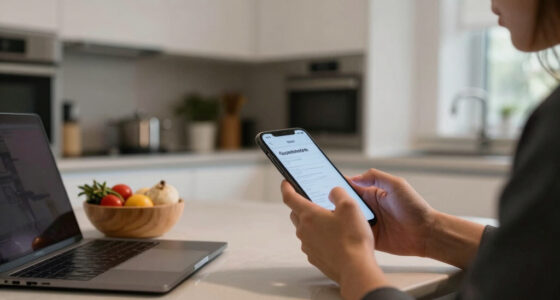
A **smart kitchen gadget** connects to a home network, usually through **Wi-Fi or Bluetooth**, so you can use an app, voice assistant, schedule, or another device to control or monitor it. The label covers a wide range: a connected plug that starts a lamp-like appliance, a thermometer that sends temperature alerts, and a full-size oven with app controls all count. Their capabilities—and their dependence on the internet—can differ sharply. For example, a Bluetooth cooking probe might send a temperature reading to your phone while you stand nearby, while a Wi-Fi oven could let you preheat it from another room. Some functions need only a local connection; remote access may require an account, internet service, and the manufacturer’s cloud. An app timer can be a real convenience, but it won’t help much if you still have to walk to the appliance to start it. The most useful question is what job the connection performs. Does it tell you when a roast reaches its target temperature? Save a setting you use every morning? Help someone with limited mobility reach controls more easily? A feature is valuable when it fits a routine you already have, like a well-placed drawer that makes a familiar tool easier to reach.

Products Worth Considering

Cuisinart Chef's Classic 17-Piece Stainless Steel Cookware Set

Cuisinart Chef's Classic 17-Piece Stainless Steel Cookware Set

De'Longhi Classic Signature Espresso Machine with Adjustable Milk Frother

De'Longhi Classic Signature Espresso Machine with Adjustable Milk Frother

As an affiliate, we earn on qualifying purchases.

Which Smart Kitchen Gadgets Save You the Most Effort?

Kitchen gadgets for a smart home tend to be most useful when they reduce a task you repeat or give you information at the right time. A **connected thermometer**, **scheduled coffee maker**, or **app-controlled cooker** can solve a clear problem; a feature you rarely use may not justify a higher price. Imagine getting a probe alert while you help a child with homework: that’s a useful interruption, unlike another app notification that merely repeats a timer you already set. The table compares common choices by the job they can help with. Actual features vary by brand and model, so check the product details before you buy.
GadgetUseful featureWhat to check
Smart thermometerAlerts you when food reaches a chosen temperatureProbe range, connection type, and app alerts
Connected coffee makerSchedules brewing or saves settingsWhether it needs an account or remote access
Smart plugSchedules compatible small appliancesAppliance compatibility and safe power rating
Connected oven or cookerSends status updates or offers remote controlsWhich features work offline and how remote start behaves
A **smart plug** can be a low-cost starting point for a simple lamp-like appliance, but don’t assume it can safely switch every heater or cooking device. Follow both manufacturers’ instructions and use only appliances approved for that kind of control. A connected thermometer, by contrast, provides cooking information without switching an appliance on and off. That distinction matters: a notification can make dinner easier, while remote power control deserves a closer safety check.

How Can You Check Compatibility Before You Buy?

Check the gadget’s **exact model compatibility** with your phone, Wi-Fi, voice assistant, and smart-home platform before you order. Product labels can hide feature limits: a model may work with one assistant but not another, or support basic app control while leaving voice routines unavailable. Matter aims to help compatible devices work across smart-home platforms, but support depends on the product and feature, so look up the specific model rather than relying on the standard’s name alone. Use this quick checklist before adding a device to your cart:
  1. Confirm your phone’s operating system and the app’s requirements.
  2. Check whether the device supports your Wi-Fi setup, Bluetooth needs, and preferred assistant.
  3. Look for any required hub, manufacturer account, subscription, or regional restriction.
  4. Find out which controls still work if your internet or the company’s cloud service is unavailable.
  5. Read how the manufacturer handles software updates and support.

Suppose you use an iPhone and already have a voice assistant routine for morning coffee. A maker that only supports a different platform may still brew well, but it may not join that routine. **Compatibility can depend on the model, region, and software version**, so verify the exact product listing and support information. This check takes a few minutes and can prevent a drawer full of apps that never talk to one another.

How Do You Keep Smart Cooking Safe and Food-Safe?

Use remote controls and notifications as **helpful tools**, not as a replacement for safe cooking and food handling. A phone alert tells you what a sensor or appliance reports; it doesn’t prove that food stayed at a safe temperature the whole time or that an appliance is safe to leave running unattended. Follow the manufacturer’s directions, keep devices away from water unless designed for wet areas, and use a food thermometer when a recipe calls for one. For example, a connected probe can alert you when a roast reaches your chosen temperature, but you still need to handle raw meat carefully and clean the probe between uses. Refrigerate perishable food promptly, keep raw foods separate from ready-to-eat items, and follow reliable food-safety temperature guidance for the particular food you’re cooking. An app’s “done” notification is not a substitute for checking doneness when the recipe or food requires it. Remote start also deserves judgment. Preheating an empty oven from another room may suit the manufacturer’s instructions, while starting a device with food inside or leaving a hot appliance unattended may not. **Read the appliance manual**, use only approved remote features, and make sure children cannot trigger controls accidentally. If a feature makes it harder to tell whether heat is on, turn on a visible status indicator or choose a simpler routine. In a busy kitchen, clear feedback matters as much as convenience.

What Should You Check for Privacy, Cleaning, and Long-Term Value?

A smart gadget’s true cost includes **the appliance, its upkeep, and its software support**. Connected models may collect usage data, require an account, or depend on cloud services that can change over time. Read the privacy settings, use a strong unique password, install available security updates, and ask whether basic functions continue when your internet connection fails. If a gadget becomes a plain appliance during an outage, decide whether that fallback is good enough for you. Kitchen conditions test hardware every day: steam curls up from a pot, grease settles on handles, and splashes reach the counter. A removable probe or dishwasher-safe part may matter more than another recipe feature. Check cleaning instructions before purchase, especially if controls sit near a sink or a device has seams where crumbs collect. For instance, a smooth, wipeable thermometer can be easier to use every week than a more elaborate model with parts you dread cleaning. Compare the connected model with its ordinary version and include accessories, subscriptions, repair options, warranty, and likely replacement costs. A **smart feature does not automatically save energy**; savings depend on how you use the device and what it replaces. If an app lets you avoid unnecessary preheating, that may help your routine, but a feature label alone says nothing about your electricity bill. Buy the simpler model when it cooks just as well and solves the same problem.

How Can You Build a Simple Smart Kitchen Routine?

Build your smart kitchen around one reliable routine, then add gadgets only when they solve a visible snag. **Start with the task**, not a shopping list: perhaps you forget to start the kettle, lose track of a slow-cooked meal, or need alerts while moving around the house. A small setup that works every day beats a complicated chain of devices that needs constant troubleshooting. Say you want coffee ready at 7 a.m. First check whether your coffee maker supports a schedule and whether the feature works without a cloud connection. Next, confirm the setup is safe for that model and that you can still use its physical controls. Finally, run the routine while you’re home and awake; verify the brew time, alert, and settings before relying on it on a rushed weekday. Keep the setup easy to understand for everyone who uses the kitchen. Name devices clearly in the app, avoid duplicate notifications, and leave manual controls accessible. If a family member can’t tell whether the cooker is on, simplify the routine or add a clear visual cue. **Reliable automation should lower your effort**, not turn dinner into a small technology support shift. Review the setup after a software update or router change, since a routine that once worked may need a fresh connection.

Frequently Asked Questions

What counts as a smart kitchen gadget?

A smart kitchen gadget connects through Wi-Fi or Bluetooth and offers app, voice, schedule, or device-to-device controls. A connected thermometer, smart plug, coffee maker, or oven can qualify, though their features and internet needs differ.

Do smart kitchen gadgets work without Wi-Fi?

Some devices keep basic physical controls or local Bluetooth functions when Wi-Fi is down, while remote access and cloud features may stop. Check the exact model’s offline behavior before buying, especially if you rely on alerts or schedules.

Will a smart gadget work with Alexa, Google Home, Apple Home, or Matter?

Compatibility varies by model, feature, region, and software version. Check the manufacturer’s listing for your exact assistant or platform; Matter support does not mean every feature works everywhere.

Can I safely control kitchen appliances remotely?

Use remote features only as described in the appliance manual, and don’t treat an app alert as proof that food is safely cooked. Consider whether the appliance can be left unattended, keep controls away from children, and avoid remote starting when the situation is unsafe.

Do connected appliances save electricity?

Not automatically. A schedule or energy-use display may help you change how you use a device, but actual savings depend on your habits and the appliance compared with the alternative.

What if the manufacturer stops supporting the app?

Remote access, cloud features, or integrations may stop working if app or service support ends. Ask whether the gadget retains useful manual controls and review the manufacturer’s support policy before you commit.

Conclusion

Choose one kitchen task that regularly interrupts your day, then find a gadget that makes that task simpler without weakening safety or adding daily app chores. Check its compatibility, offline controls, cleaning needs, and support before you buy. The best smart kitchen is the one where dinner smells ready and your phone can stay in your pocket.
You May Also Like

dBase: 1979-2026

Decades after its decline, dBase’s ecosystem faces final chapter as AI tools now facilitate legacy code migration amid abandoned support and legacy formats.

The 4-Ingredient Italian Pasta Sauce Recipe My Family Requests Twice a Week

A family-recipe for a simple, four-ingredient Italian pasta sauce has gained popularity for its ease and flavor, with requests occurring twice a week.

A Container Cocktail Garden Is the Secret to Fresh Summer Garnishes –3 Easy Combinations to Try in Small Gardens and Patios

Discover simple container cocktail garden ideas with three easy combinations for fresh summer garnishes, enhancing outdoor spaces and drinks.

When Did Making Reservations Get So Annoying?

The rising complexity of reservation platforms and multiple apps makes booking tables more tedious. Here’s what is confirmed and what remains unclear.